
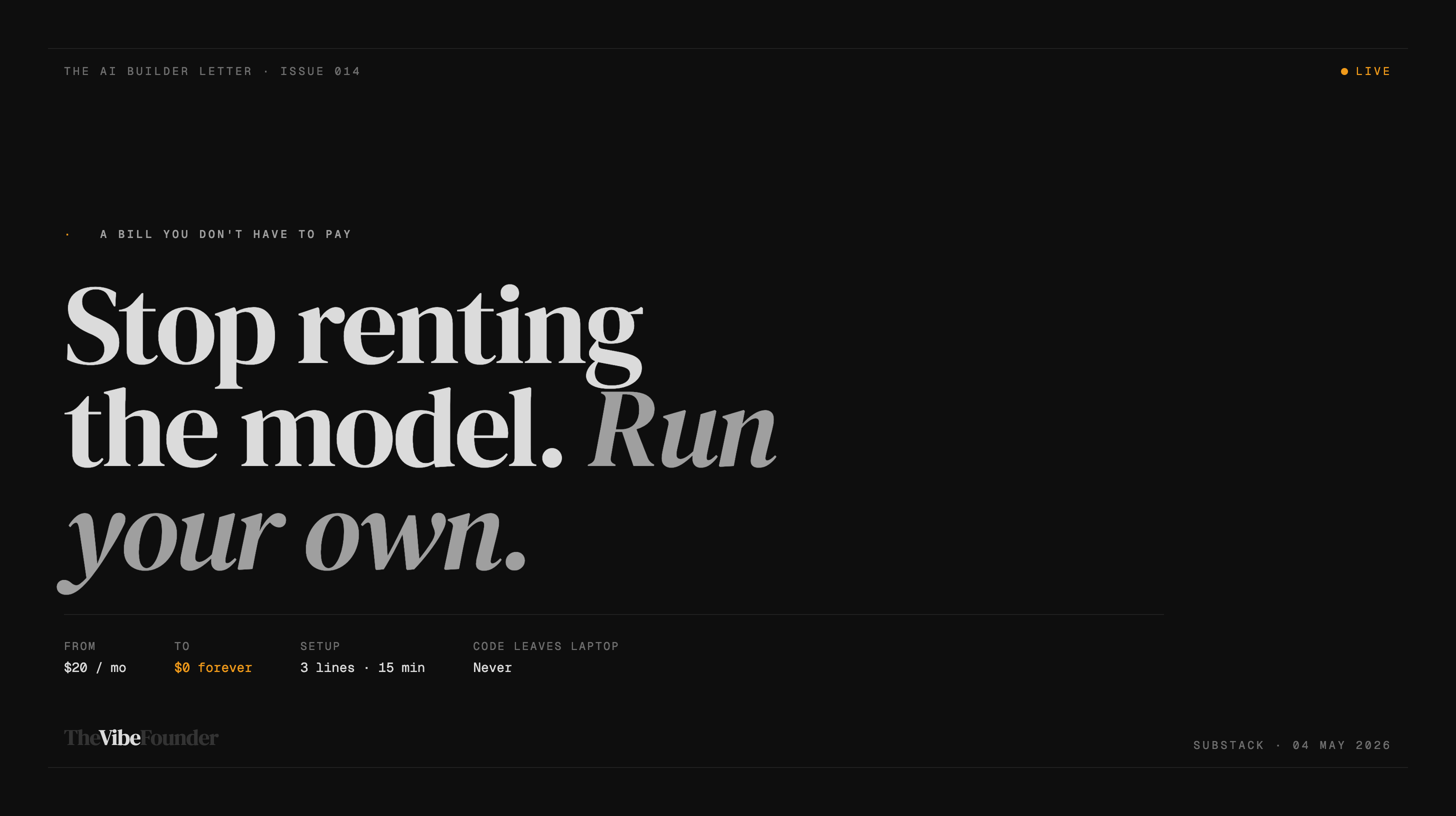
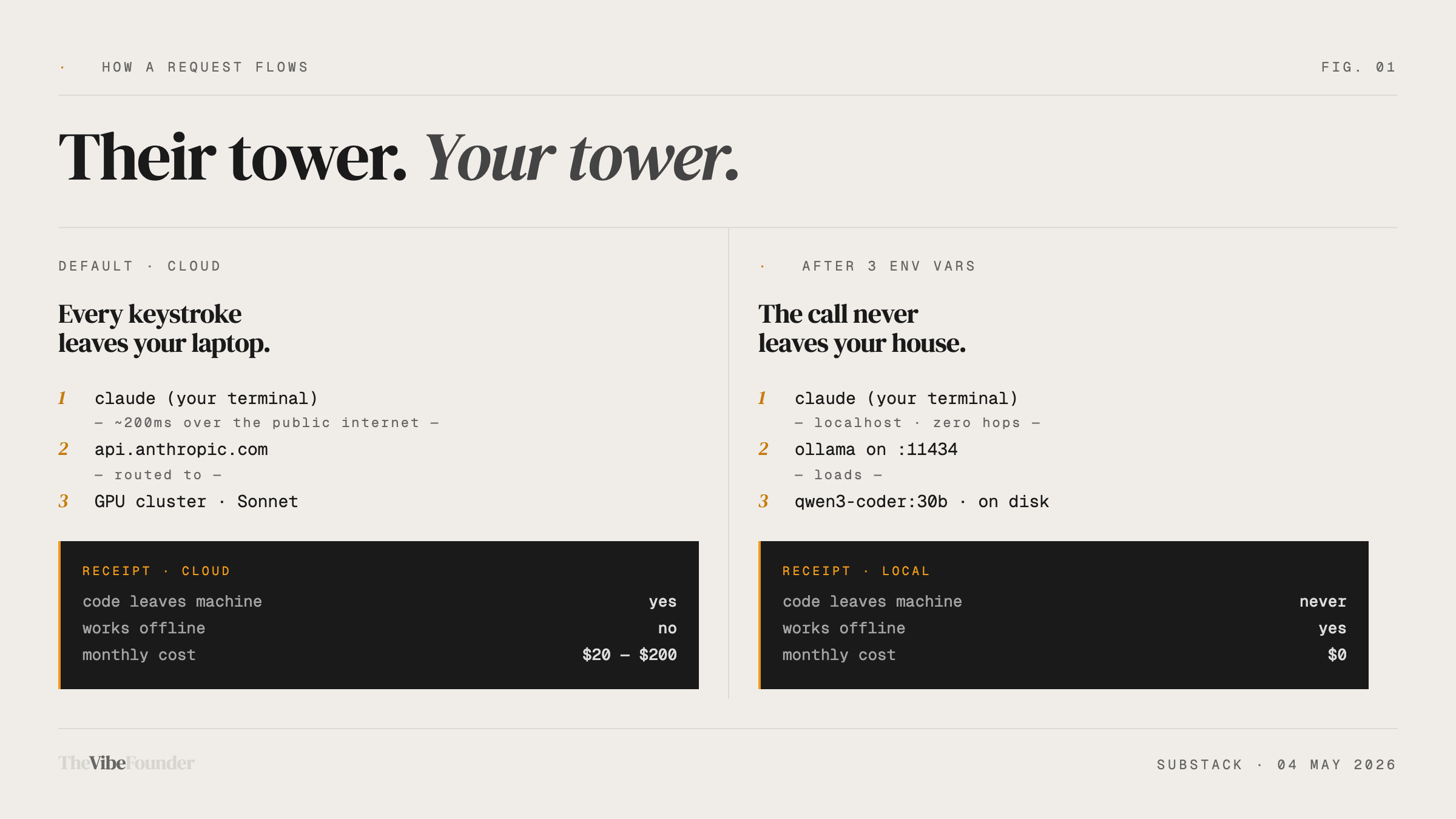
Your words leave your laptop. They travel to a server somewhere. That server charges Anthropic. Anthropic charges you. And every month, you pay — whether you got value or not.
That’s just how it works.
Except it doesn’t have to be.
There’s a way to run Claude Code — Anthropic’s AI coding tool — entirely on your own laptop. No internet. No API bills. No data leaving your machine. The AI lives on your device, like an app, not a subscription.
And the setup takes about ten minutes.
First, What Is Claude Code?
Think of Claude as the chatbot — the thing you talk to in the browser.
Claude Code is different. It’s a version of Claude that lives inside your computer’s terminal (the black text window developers use). Instead of you describing a problem and Claude describing a solution, Claude Code actually does things — reads your files, writes code, fixes bugs, runs tests. It acts, not just answers.
Most people running it are paying Anthropic by the message. Every line it reads. Every line it writes.
This guide shows you how to stop doing that.
How This Works (The Simple Version)
Your laptop is a computer. It has a processor and memory. Normally those resources just run your browser and Spotify.
AI models are software. They run on processors and memory. The reason people use cloud AI (ChatGPT, Claude) instead of running it locally is that AI models used to be enormous — you needed a building full of computers to run them.
That changed.
There are now small, efficient AI models that run on a normal laptop. They’re not as powerful as the frontier models. But they’re good enough for most real coding tasks — and they’re free, private, and offline.
Ollama is the app that lets you run these models on your laptop. Think of it like a media player, but instead of playing music, it runs AI.
The trick: Claude Code doesn’t actually care what AI it’s talking to. It just speaks a standard language. Ollama’s models now speak that same language. So you can tell Claude Code: “Don’t call Anthropic’s servers — call my laptop instead.” Three lines of text is all it takes.
The Setup. Step by Step.
You will need to use your terminal once. That’s the black text window. If you’ve never opened it — on Mac, press Command + Space, type “Terminal,” hit enter. That’s it. You’re in.
Step 1 — Download Ollama
Go to ollama.com. Click download. Install it like any other app.
It runs quietly in the background. You won’t notice it’s there.
Step 2 — Download an AI Model
Open your terminal. Copy and paste one of these lines. Hit enter.
If your laptop is newer (bought in the last 3–4 years):
ollama pull qwen3-coder:30bIf your laptop is older or slower:
ollama pull qwen2.5-coder:1.5bThis downloads the AI model to your laptop. Takes a few minutes. You only do it once.
The first one is more capable. The second is lighter and runs on almost anything.
What you’re actually downloading: A file that contains a compressed AI brain trained specifically on reading and writing code. It lives in your laptop’s storage, like any other file.
Step 3 — Tell Claude Code to Use Your Laptop
Still in the terminal. Copy and paste these three lines. Hit enter after each one.
export ANTHROPIC_BASE_URL=http://localhost:11434
export ANTHROPIC_AUTH_TOKEN=ollama
export ANTHROPIC_API_KEY=""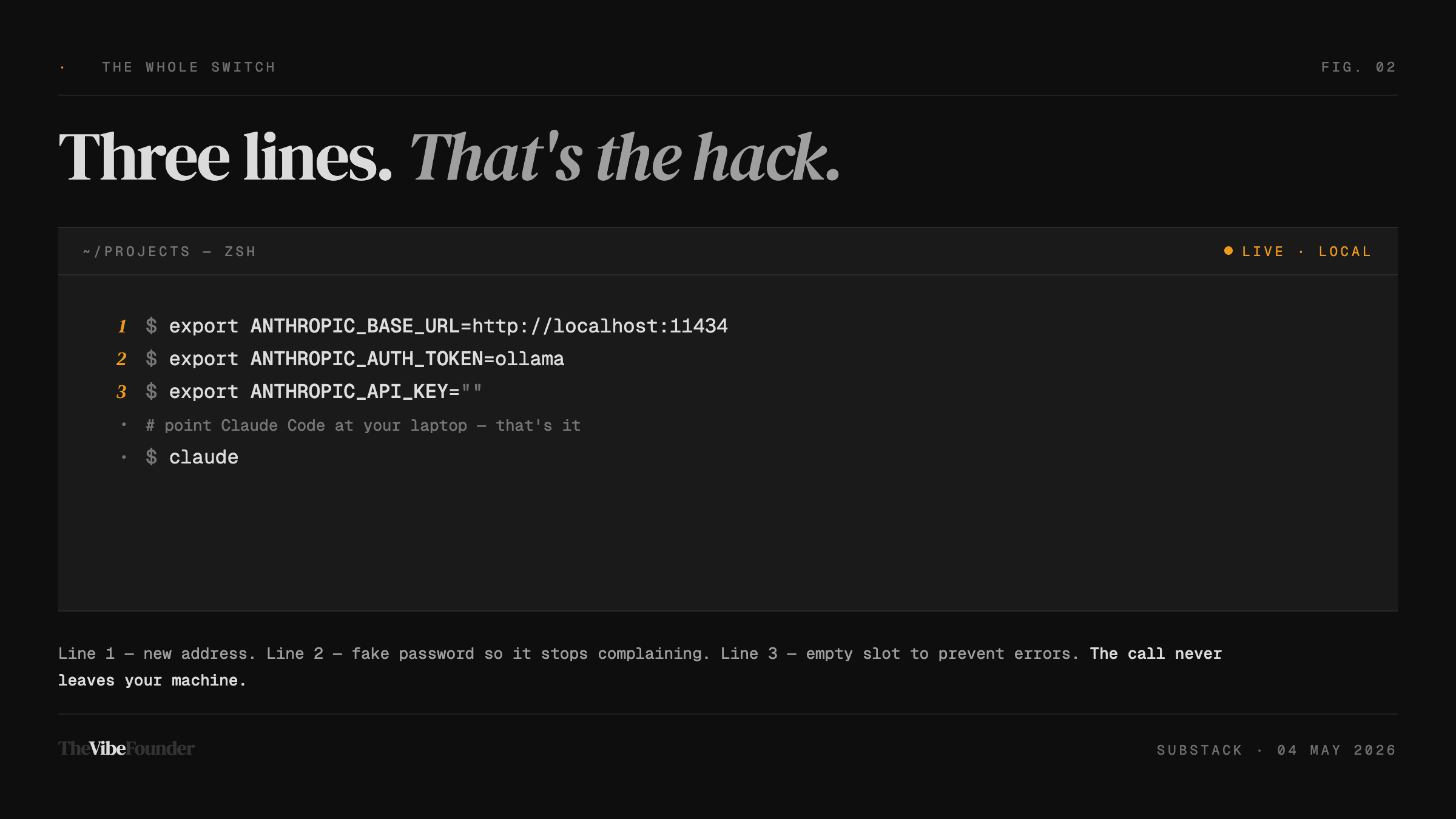
In plain English, you just told Claude Code: “When you need AI, don’t call Anthropic’s servers — call my laptop instead.”
The word “localhost” just means your own computer. You’re redirecting the call.
Step 4 — Give the AI Enough Memory to Think
AI needs working memory. Claude Code needs a lot of it. Give it enough with this line:
export OLLAMA_CONTEXT_LENGTH=32768Skip this and Claude Code will work, but it’ll lose track of what it was doing mid-task. Like trying to hold an entire conversation using only a Post-it note.
Step 4.5 — Fix the Speed Problem (Do Not Skip)
This is the step most guides leave out. It’s why people try local AI, decide it’s broken, and quit.
Claude Code adds a small invisible label to every message it sends. That label changes each time. The problem: your local AI uses that label to recognize whether it’s already read the setup instructions. When the label keeps changing, it re-reads everything from scratch on every single message. A simple question can take 40 seconds.
The fix:
export CLAUDE_CODE_ATTRIBUTION_HEADER=0That turns off the changing label. Speed goes back to normal.
Step 5 — Make These Settings Permanent
The settings you just pasted disappear when you close the terminal. To make them stick forever, open a file called ~/.zshrc in any text editor and paste these lines at the bottom:
export ANTHROPIC_BASE_URL=http://localhost:11434
export ANTHROPIC_AUTH_TOKEN=ollama
export ANTHROPIC_API_KEY=""
export OLLAMA_CONTEXT_LENGTH=32768
export CLAUDE_CODE_ATTRIBUTION_HEADER=0
Save. Close and reopen terminal. Done.
(On Mac: in the terminal, type open ~/.zshrc and it opens in TextEdit.)
Step 6 — Open Claude Code
Navigate to any project folder in your terminal. Type:
claudeIt starts. It’s talking to your laptop now.
No API billing. No internet required. Your code stays on your machine.
One Honest Thing You Need to Know
You still need Claude Code installed.
Claude Code is free to download, but Anthropic requires you to have a Pro subscription ($20/month) or API credits to use it. This setup replaces the ongoing cost of every message going to Anthropic’s servers — it doesn’t bypass the initial access gate.
Think of it like buying a car. You still need a driver’s license first.
Once you’re in and pointed at your local model, the per-message cost drops to zero.
What This AI Can Actually Do
The model you’re running locally — Qwen3-Coder 30B — scores around 51.6% on SWE-bench Verified. That’s the industry standard test for AI coding ability.
What does 51.6% mean in plain language? The AI solves roughly half of real-world coding problems correctly, on its own, without help. The frontier cloud models (Claude Sonnet, GPT-5) sit in the 70–80% range.
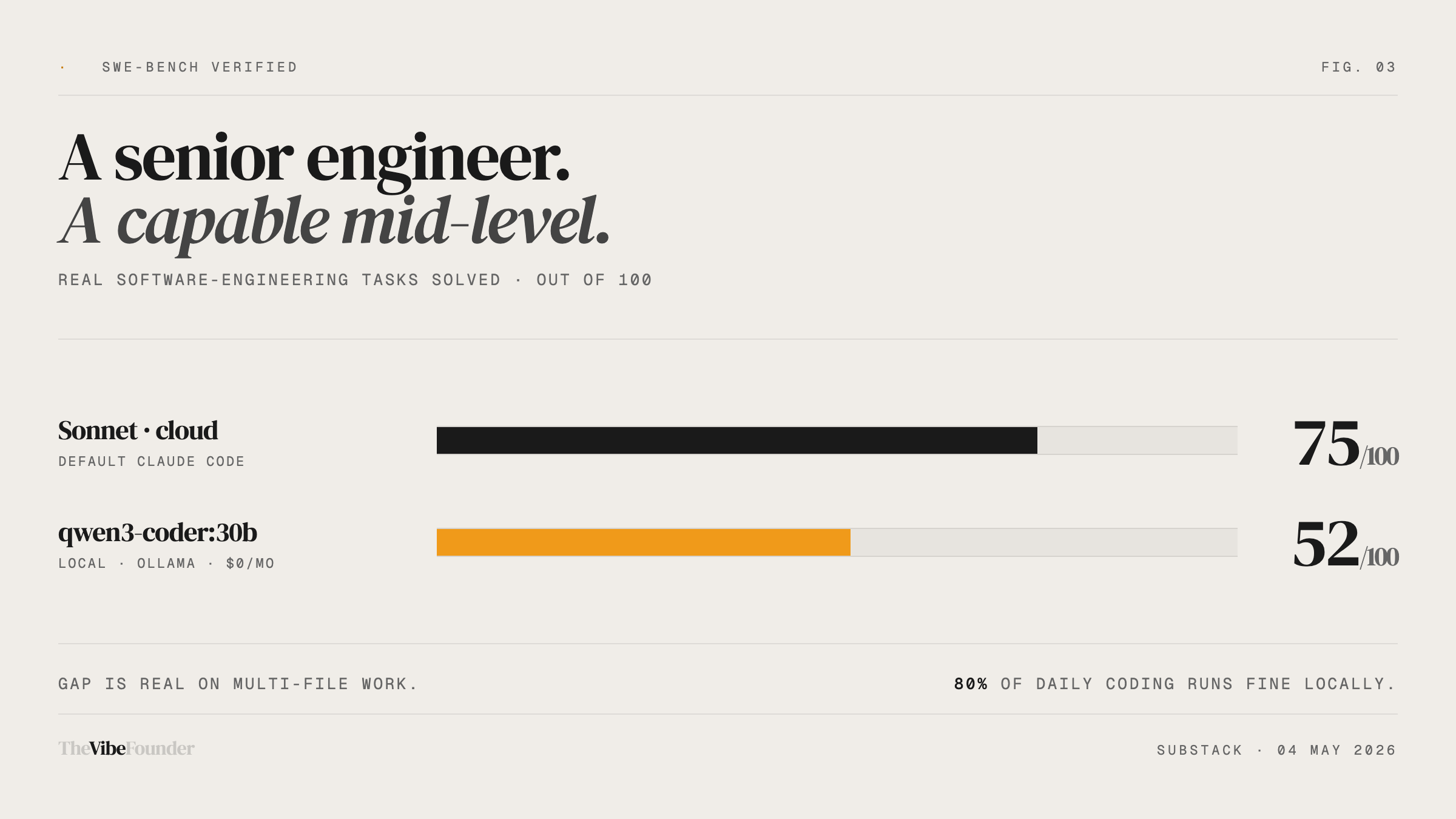
There is a gap. A real one.
For routine tasks — fixing bugs, writing small functions, explaining what code does, refactoring messy files — the local model handles it well. For complex, multi-file architectural work across a large codebase, you’ll feel the difference.
The tradeoff: no cost and complete privacy, in exchange for a less capable model. Know that going in.
The viral tutorials claiming this 30B model is “in the same league as Sonnet” are wrong. It’s not. It’s good, free, and private — but it isn’t Sonnet.
The Money Math
Viral content is claiming this saves you “$2,400 a year.”
That number is wrong by a factor of ten.
Claude Pro is $20/month. That’s $240/year.
That’s what most people pay. If you switch your Claude Code usage fully to local, you save $240/year on the subscription — plus whatever you were spending on API overages during heavy sessions.
The $2,400 figure only applies to Anthropic’s most expensive Max plan at $200/month. Most people aren’t on that.
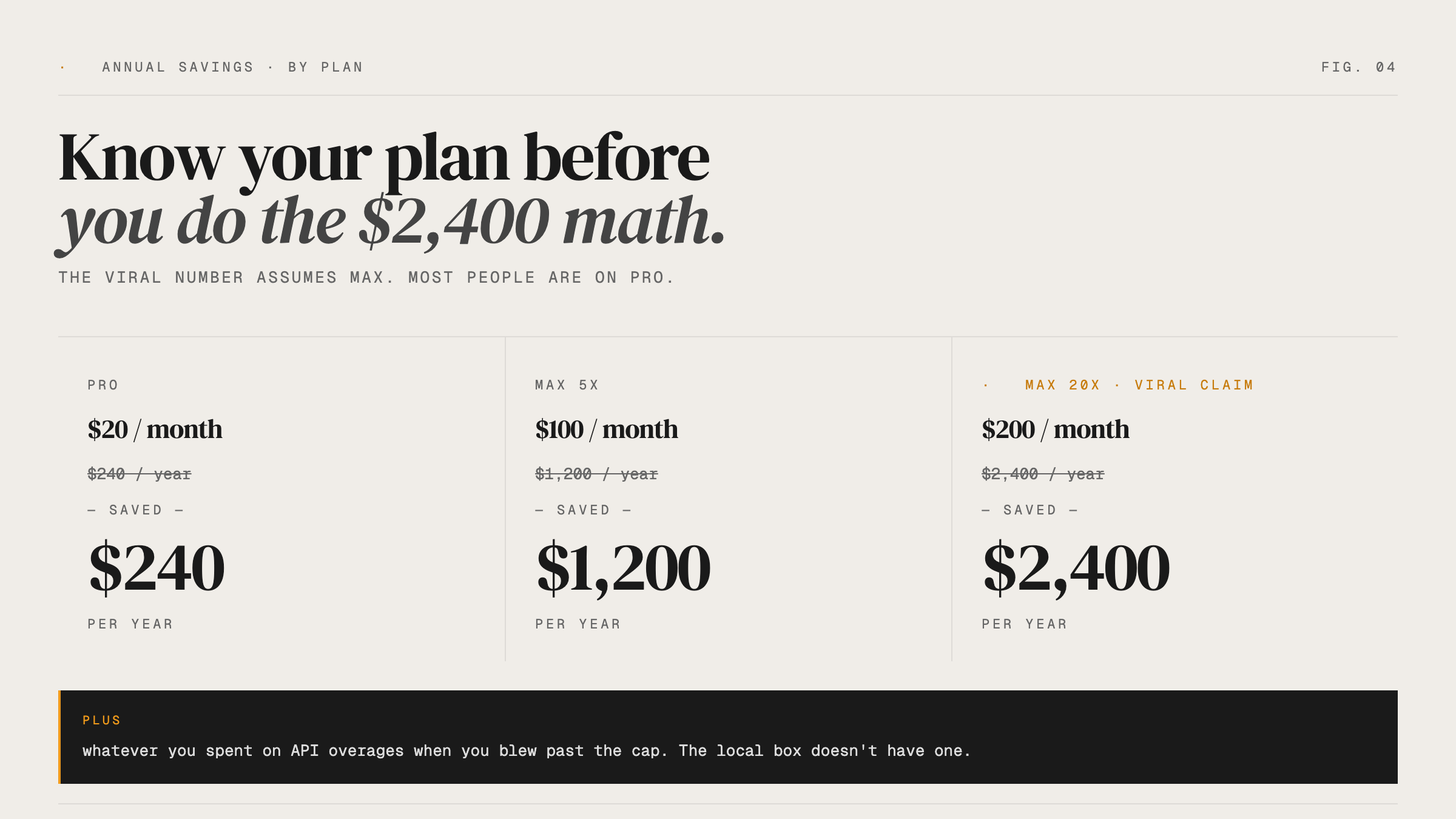
$240/year is still real money. Over five years it’s $1,200. But go in with accurate numbers, not inflated ones.
Who This Is Actually For
This setup makes sense if:
You work on client code you legally can’t send to a third-party server
You travel and need to code without reliable internet
You’re hitting API cost overages and want a free local fallback
You’re a founder who wants to understand how local AI inference works before it becomes a real decision
Probably skip it if:
Your work requires the best model available — complex, multi-file architectural reasoning where accuracy matters more than cost
You’re not comfortable opening a terminal at all
Your laptop is more than 5–6 years old with no dedicated graphics card
The Villain Isn’t Anthropic
It’s the content mill.
The videos circulating right now get the benchmark wrong (it’s 51%, not 77%). They omit the speed fix that makes the whole thing usable. They inflate the savings by 10x. They recommend a model too small to actually do the job.
That content gets views. You get a broken setup and disappointed expectations.
This setup works. The model is genuinely capable for a real range of tasks. The tradeoffs are honest and worth understanding.
Founders who build with accurate information last longer than founders who build on hype.
Reply and tell me — are you running Claude Code locally, or still fully cloud? Curious where founders are actually landing on this.
— Aj, @thevibefounder
There is a problem with those types it can't handle the work of those live model does and there is no memory when try it at begining but it can be fixed but its still slow with rtx 5 series even laptops or computer can't handle 120b parameters even more picture can't be upload same u do with live ones even if u try 120b model u need 5k $ laptop just to run one model of 120b
How do I keep Claude code I currently run in vscode calling the anthropic servers (using my sub) but run Claude code in my terminal running qwen3? Wont these terminal commands cutoff access to any ability to connect to Anthropic for more complex tasks? Thanks!